PowerPoint Activities
Creating “Shotgun” On GarageBand – Step By Step PowerPoint Lesson
Preview 1 of 18
£1.49
Use it with every class in your school, year after year. What you can do with it
Pay by card on Stripe's secure page. It downloads straight away, ready for World Music Day on Monday, 21 June 2027, and stays in your account.
Used by teachers at more than 100 UK schools.
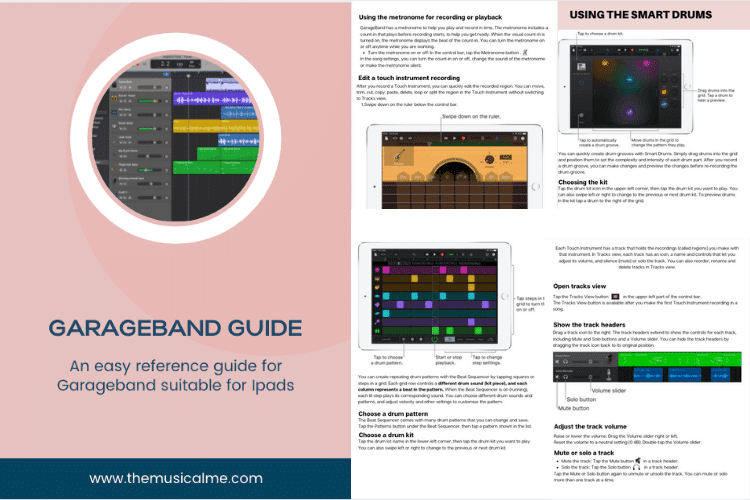
A step-by-step slide lesson in making a song in GarageBand, based on Shotgun by George Ezra. The screenshots show GarageBand on an iPad. Read more about it
At A Glance
- In the download
- Creating “Shotgun” On GarageBand – Step By Step PowerPoint LessonPowerPoint, 19 slides, 8.8 MB
- Who it's for
- KS2, KS3, KS4 · Years 3 to 11
- Curriculum links
- Supports the national curriculum aim that pupils ‘use technology appropriately’, and Key Stage 2: ‘improvise and compose music for a range of purposes using the interrelated dimensions of music’. Key Stage 3: ‘improvise and compose; and extend and develop musical ideas by drawing on a range of musical structures, styles, genres and traditions’.
Curriculum links refer to the national curriculum in England (2013) and the EYFS statutory framework. A revised national curriculum is due to be published by spring 2027 for teaching from September 2028; we will update these links then. Schools in Wales, Scotland and Northern Ireland follow their own curricula.
- Paying
- One-off payment. No subscription.
Look Inside Creating “Shotgun” On GarageBand – Step By Step PowerPoint Lesson
The first 12 of 18 previews. Press one to see it bigger.
About This Resource
Pupils load up the drums, set the key, record a beat on the bass drum and snare, then add a keyboard part (the notes E, A, C sharp and B, on the first beat of each bar) and the same chords on Smart Guitar. The final challenge is to add a bass guitar and strings using the same notes.
It suits beginners from Year 3 to Year 11. The official lyric video below lets pupils hear how the song goes.
Watch it yourself before showing it to a class.
Schools Who Bought This Also Got
- Display Materials
- PowerPoint Activities
- Other
- Display Materials